
Deckbuilder

Deckbuilder is a single self-contained program for Windows and Linux with a desktop app and a command line. Deckbuilder works with any language model that speaks the OpenAI-compatible API, whether a cloud service or a model running on your own machine, and writes native files that open in PowerPoint, LibreOffice Impress, Keynote, and Google Slides.
Features
- Desktop app and command line. Generate a deck, then refine the deck slide by slide, or script every step.
- Any compatible model. Use a cloud provider, or run fully local models so your material never leaves your computer.
- 30 slide types and 18 themes. From bullets and timelines to native charts and diagrams, with themes checked for WCAG color contrast.
- Documents as well as decks. Write papers, briefs, proposals, and books, and export to Word, Markdown, HTML, LaTeX, and PDF (PDF uses a TeX engine installed on your computer).
- Seven interface languages. English, Spanish, French, German, Brazilian Portuguese, Italian, and Russian.
- Speaker notes on every generated slide, and Markdown in and out.
How Deckbuilder Works
Deckbuilder pairs a language model with code that checks the model's work. The model plans and writes; Deckbuilder enforces your instructions, checks claims against your sources, and builds the finished files. You stay in charge of what gets approved.
From Brief to Finished Deck
Each step is labeled with who does the work: Program for checks written in code, Language model for drafting, Image model for optional pictures, and You for your decisions.
-
Brief and Sources
You Program
You give a topic or brief and the number of slides, optionally an audience, tone, theme, and instructions, and attach source files: text, Markdown, HTML, RTF, Word, or OpenDocument. Sources are read in full; one too large for the model to use stops the run with a clear message instead of being silently cut.
-
Outline
Language model Program
The model plans the sections and each slide's type, layout, and purpose. The program holds the plan to the slide count you asked for and stops before writing anything if the count cannot be met. In the desktop app, Outline Only stops here so you can rename, reorder, add, or remove slides before writing begins.
-
Slide Writing
Language model
Slides are written in parallel. Every slide sees the full plan, your sources, and your instructions, so the deck stays consistent.
-
Repair and Limits
Program
When a reply is malformed, the model is asked to fix just the faulty field whenever Deckbuilder can pinpoint that field. Lists that run long are trimmed to a fixed limit and the extra points move into the speaker notes, so nothing is lost.
-
Source Review
Program Language model
In the desktop app, each slide is checked against your sources as soon as the slide is written: every sentence on the slide and in the slide's speaker notes, and every number and chart value, as shown below. Flagged sentences are corrected one at a time for as long as each round reduces the problems; any that still cannot be supported are removed and named in a warning.
-
Pictures (Optional)
Image model
If you turn on picture generation, an image model draws the picture slides once the text is done. Each picture keeps the description, model, and seed the picture was made from, is never treated as source evidence, and is marked for your review.
-
Review and Export
You Program
Edit, drag to reorder, or ask for a single slide to be revised, compare each finding with the matching source passage, and export a native PowerPoint file. Every automatic change marks a slide as needing review; only you can mark the slide reviewed.
How Claims Are Checked
-
The Claim
A statement from a slide or the slide's speaker notes.
-
The Evidence
The best-matching passages from the sources you attached, found by keyword search and, optionally, meaning-based search. Only your sources are searched.
-
Three Layers of Checking
Inference Classifier
A small built-in classifier settles claims your sources clearly support. Anything that states a figure, or is not clear-cut, moves on.Groundedness Judge (Optional)
A separate model answers one question: is this claim grounded in the passage? The judge's answer constrains the final status.Review Model
Assigns the final status and quotes the source sentences the review model relied on. Deckbuilder verifies each quote against the original lines.
-
The Verdict
- Supported
- The sources back the claim.
- Contradicted
- The sources say otherwise.
- Unsupported
- The sources do not back the claim.
- Uncertain
- The check could not settle the claim. Uncertain never counts as passing.
- Not factual
- Not a factual claim, so there is nothing to check.
Deckbuilder adds further checks in code: a claim that drops a hedge such as may or estimated is marked unsupported, a figure that differs from the cited passage is marked contradicted, and a number that appears in none of the cited passages is flagged.
Source Review
Supported
“Losses fell to 18% last winter.”
“Overwinter colony losses declined to 18 percent.”
survey-report.md, lines 42–44
Unsupported
“Losses will keep falling.”
“Losses may continue to fall if conditions hold.”
survey-report.md, lines 51–52
The claim drops the source's hedge, may.
Source review is a model assessment that supports your own review, not proof that a statement is true. Source review also does not check facts beyond the sources you supply.
Rules Enforced in Code
Instructions written into a prompt are requests a model may ignore. Deckbuilder enforces these rules in code:
Exact Slide Count
If the plan does not match the number you asked for, the run stops before a partial deck is written.
List Limits
Bullets, statistics, cards, steps, and table rows are capped at fixed limits; the overflow moves to the speaker notes.
Layout Variety
No more than two slides share a text layout, so layouts stay varied across the deck.
Abstract Length
A paper's abstract must fall within a range set by the length of the body, and may not cite anything the body does not.
Readable Contrast
Every theme keeps body text at a contrast ratio of 4.5:1 or better and titles at 3:1, the WCAG minimums.
Sandboxed Steps
The model works by writing small scripts in a sandbox with no file, network, or import access, and Deckbuilder checks every call.
What You Get

Slide Decks
Native PowerPoint files that open in PowerPoint, LibreOffice Impress, Keynote, and Google Slides, with speaker notes on every slide.
Documents
Papers, briefs, proposals, and books in Word, HTML, Markdown, and LaTeX, plus PDF with a TeX engine installed on your computer.
Native Charts
Column, bar, line, area, and pie charts you can edit in PowerPoint, not pictures of charts.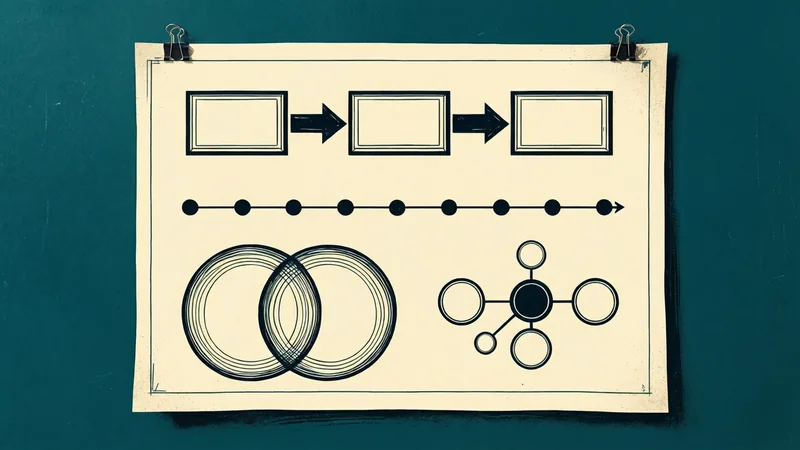
Diagrams
Ten kinds, from flows and timelines to Venn and hub-and-spoke, drawn as native shapes with alt text.
Licensing
Deckbuilder is dual-licensed. You may use Deckbuilder under the GNU Affero General Public License, version 3 only (AGPL-3.0-only), or under a commercial license from Chiron Courseworks.
Frequently Asked Questions
- Can I use Deckbuilder without paying?
- Yes. The AGPL-3.0-only license lets you use, study, change, and share Deckbuilder. In return, if you distribute Deckbuilder, or let others use a modified version over a network, you must make the corresponding source code available under the same license.
- When do I need a commercial license?
- When those conditions do not work for you: for example, building Deckbuilder into a product or service whose source you will not release, or working in an organization whose policies do not permit AGPL software. A commercial license releases you from the AGPL obligations.
- How is a commercial license priced?
- Commercial licenses are quoted for each organization. Tell us your organization's size and how you plan to use Deckbuilder, and we will reply with terms.
- How do I get Deckbuilder?
- Deckbuilder is released on GitHub at github.com/mdmurphy822/Deckbuilder, the official source for releases and source code. For a commercial license, contact us.
- Does Deckbuilder need an internet connection?
- No. With a local model, Deckbuilder runs entirely on your own computer.
Get Deckbuilder on GitHub Ask About a Commercial License Read How We Built Deckbuilder